This guide will walk you through how to connect Facebook Page(s) when connecting your Facebook account to CRM for features like Lead Ads, and Messenger integration. The list present in manage pages shows only FB pages linked to the connected facebook account.
Pre-requisite:
1. Facebook Account should be connected to the pages you are trying to connect.
2. Facebook Account should have admin access (Full control) to the Facebook page along with all access (confirm on https://business.facebook.com/latest/settings)
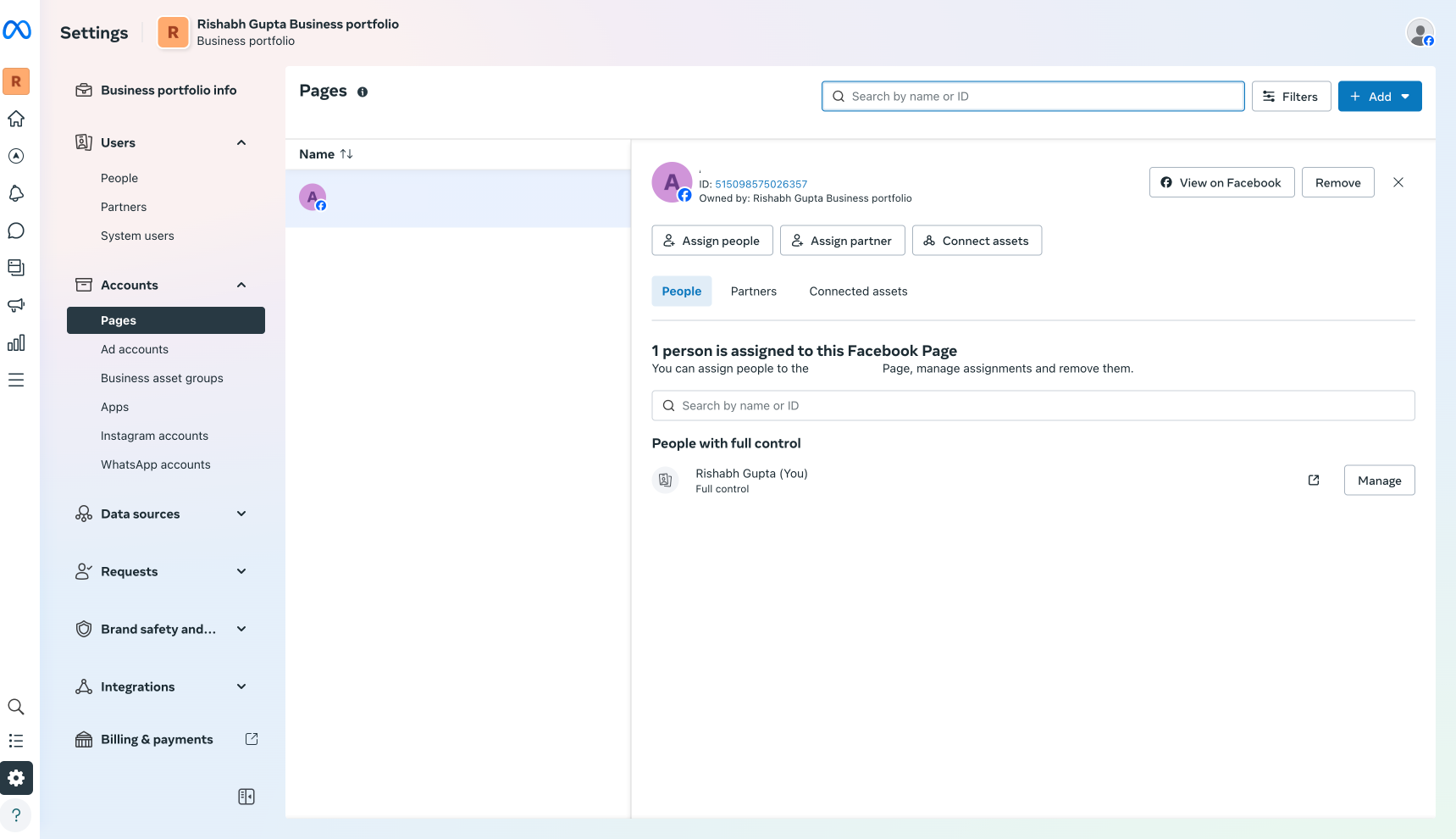
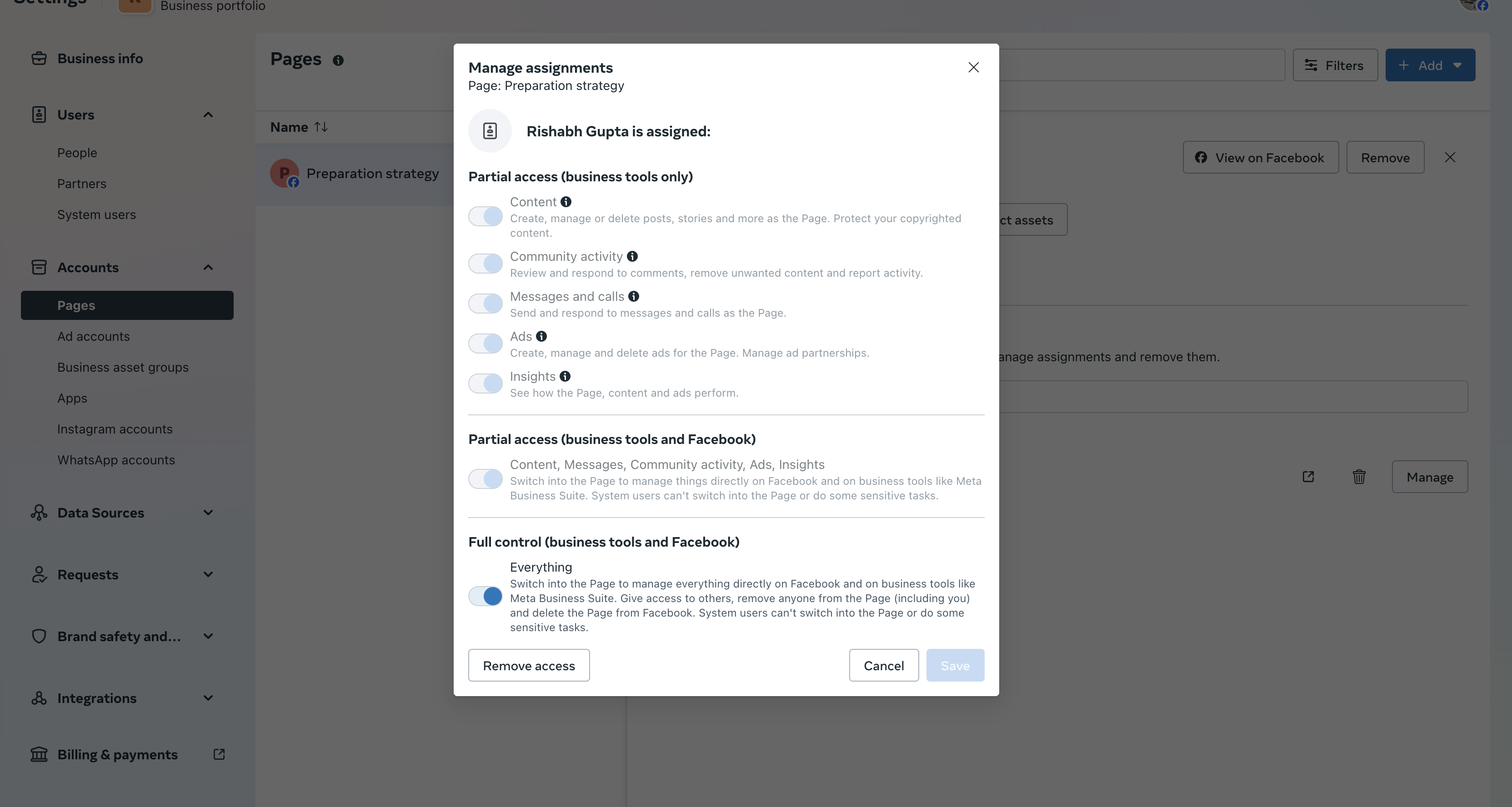 3. Hair Pro 360 should have access to page. ( confirm by clicking view and edit CTA next to hair pro 360 on https://www.facebook.com/settings?tab=business_tools&ref=settings)
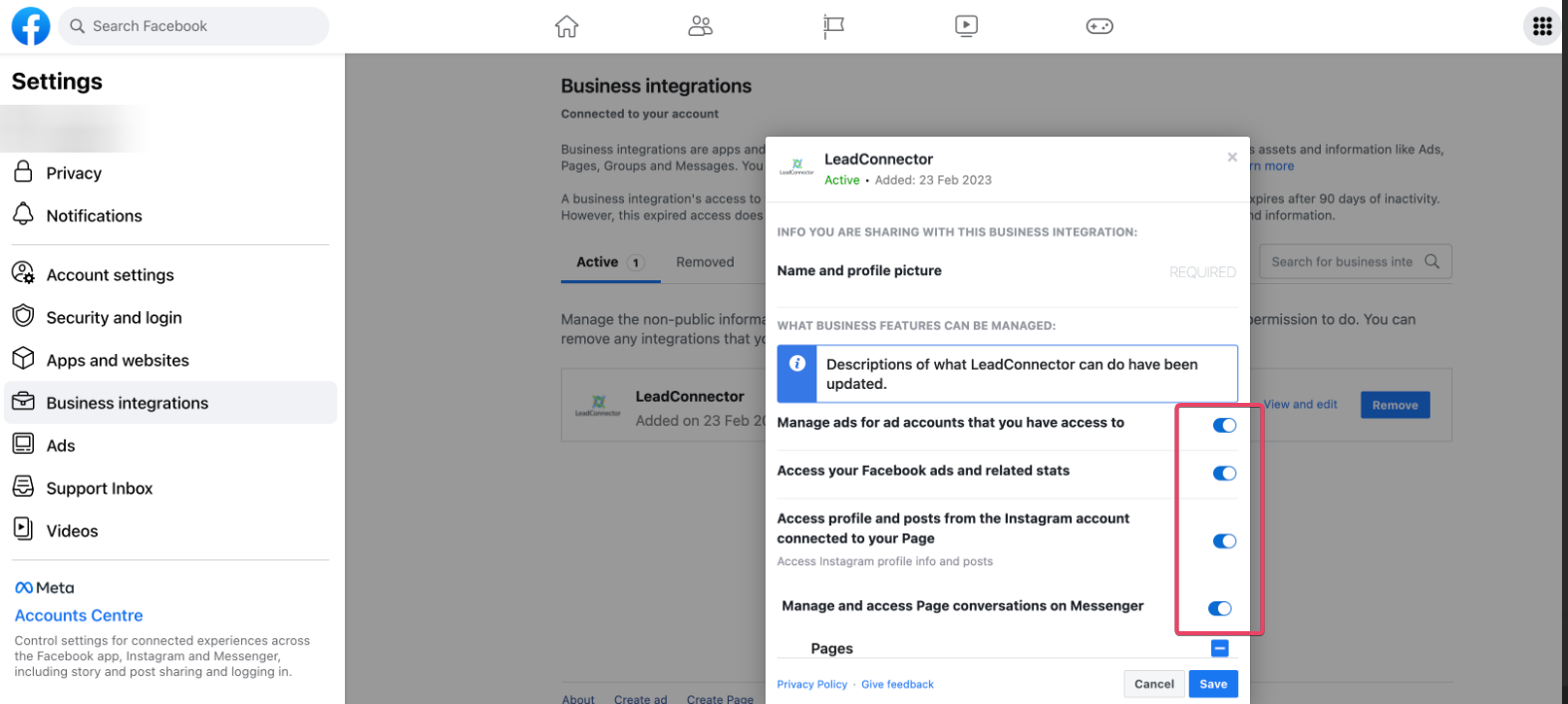
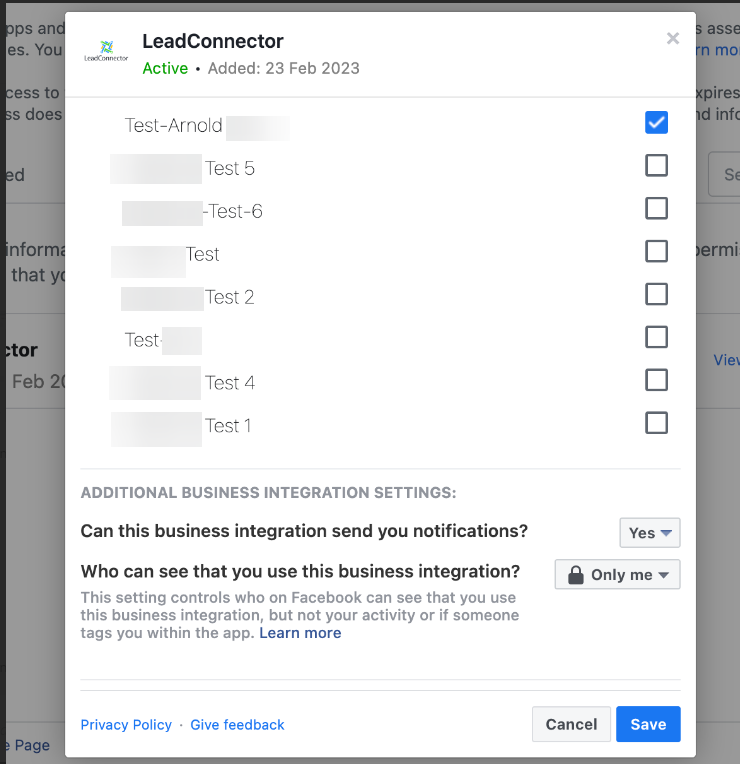
4. If all the above steps are setup, you should be able to see the page you wish to connect.